Best AI Resume Builders
Struggling to write a resume that actually gets noticed? You’re not alone.
Whether you’re landing your first job, switching careers, or chasing that senior role, a strong resume makes all the difference and the right AI resume builder will help you build one that stands out.
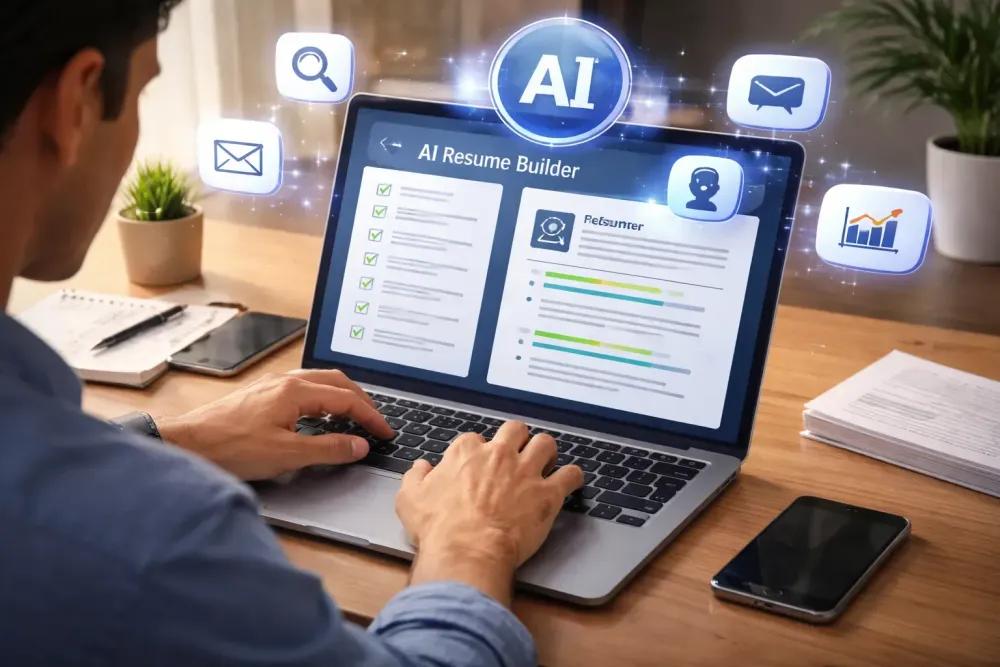
AI resume builders are changing how people tackle job applications. Instead of spending hours formatting documents and guessing what recruiters want, these tools write stronger content, fix your grammar, optimize keywords for Applicant Tracking Systems (ATS), and suggest better ways to present your experience.
Skip the guesswork. We compared the top AI resume builders of 2026 on features, pricing, and strengths so you can pick the right one, fast.
Why Use an AI Resume Builder?
Recruiters often spend less than 10 seconds scanning a resume before deciding whether to continue reading. A well-structured resume with relevant keywords can make a significant difference.
A good AI resume builder can help you:
- Save time creating resumes
- Improve writing quality
- Optimize for ATS software
- Suggest stronger bullet points
- Fix grammar and spelling
- Create professional layouts
- Tailor resumes for specific jobs
Rather than replacing your experience, AI helps present it more effectively.
Our Top Picks
| AI Tool | Best For | Free Version |
|---|---|---|
| Kickresume | Overall Best | Yes |
| Resume.io | Easy Resume Creation | Limited |
| Enhancv | Modern Design | Yes |
| Teal | Job Tracking | Yes |
| Rezi | ATS Optimization | Limited |
| Zety | Professional Templates | No |
| Resume Genius | Beginners | Yes |
| Novorésumé | Clean Layouts | Yes |
| Canva | Creative Resumes | Yes |
| Jobscan | Resume Matching | Limited |
1. Kickresume
Kickresume remains one of the most popular AI resume builder options available today. It combines AI writing assistance with professionally designed templates, making it suitable for students, graduates, and experienced professionals.
Its AI writer drafts bullet points, summaries, and full cover letters from your job title and experience, and a built-in resume scoring tool checks your content, keyword density, and formatting for ATS compatibility. Kickresume also includes handy extras like LinkedIn and PDF import to auto-populate a new resume, plus a personal website builder for turning your resume into a shareable portfolio — a nice bonus if you’re in a creative or client-facing field.
Pros
- Excellent AI writing
- Beautiful templates
- Cover letter generator
- ATS-friendly resumes
- LinkedIn/PDF import and portfolio website builder
Cons
- Premium features require a subscription (plans range from about $8–$24/month depending on billing term)
- Free plan is limited to 4 templates, with exports capped at a text-only Word download or single-page PNG preview — a full PDF download requires upgrading
2. Resume.io
Resume.io focuses on simplicity. Its guided editor makes creating a resume straightforward, even if you’ve never written one before.
Beyond the core builder, it offers a basic job tracker, a salary analyzer, and an AI-powered interview prep tool that simulates mock interviews with feedback on tone and filler words. Its “Recruiter-AI” suggests professional phrasing and industry keywords as you write, and you can duplicate resumes to maintain tailored versions for different applications.
Best Features
- Easy-to-use editor
- Professional templates
- Resume suggestions
- Cover letter support
- Job tracker and AI interview prep
The free plan only exports a plain text file a formatted PDF requires the paid plan, which starts as a low-cost trial that auto-renews into a recurring monthly charge if you don’t cancel in time. It’s worth building and downloading everything you need during the trial window and setting a reminder to cancel if you don’t plan to keep the subscription.
3. Enhancv
Enhancv is ideal if you want a modern-looking resume that still maintains professionalism.
The platform provides personalized suggestions based on your experience and career goals.
Best for:
- Designers
- Marketing professionals
- Product managers
- Software engineers
4. Teal
Teal is more than just a resume builder.
It also includes a job tracker, helping users organize applications while tailoring resumes for different employers.
Key benefits include:
- Resume optimization
- Job application tracker
- AI writing assistant
- Career planning tools
5. Rezi
Rezi has earned a strong reputation for creating ATS-friendly resumes. Its AI analyzes job descriptions and recommends improvements that align with recruiter expectations.
At the core of its approach is the Rezi Score, which rates your resume from 1 to 100 across dozens of criteria and flags weak spots in real time — from missing keywords to formatting that could confuse an ATS parser. Its AI Keyword Targeting feature scans a job posting and highlights priority terms to work into your resume, and the platform also generates matching cover letters.
If your goal is passing ATS filters, Rezi deserves serious consideration. The free plan lets you build one resume with limited AI tools and up to three PDF downloads, while the Pro plan ($29/month) or a one-time Lifetime plan ($149) unlock unlimited resumes, full AI features, and unlimited downloads the Lifetime option tends to pay for itself within about five months for anyone actively job hunting.
6. Zety
Zety has been around for years and continues to improve its AI-powered writing assistant. Its resume templates are clean, professional, and suitable for many industries.
The builder guides you step by step through each section, and its AI suggests job-specific bullet points and phrasing as you go, drawing on years of resume data to help you find the right words. A resume checker scans your finished document and flags areas to improve, including tailored keyword suggestions once you upload a specific job description.
One thing worth flagging: Zety’s free plan only exports a plain .txt file — downloading a formatted PDF or Word document requires a paid plan, and the trial auto-renews into a recurring subscription if you don’t cancel in time. It’s a good fit if you want a polished, guided resume-building experience, just keep an eye on the billing terms.
7. Resume Genius
Resume Genius is perfect for beginners who want step-by-step guidance. Its AI suggestions simplify the writing process without overwhelming new users.
The guided builder walks you through each section with a click-to-fill interface, and its GPT-4-powered tools generate a professional summary and suggest relevant skills and bullet points based on your target role. With 35+ templates tested for ATS compatibility and a resume checker that scores your document with improvement suggestions, it’s a solid starting point if you’ve never written a resume before or want something quick and clean.
One thing to know upfront: the free plan only downloads a plain text file. Getting a formatted PDF or Word document requires a paid plan either a low-cost trial that auto-renews into a recurring subscription, or an annual plan that works out cheaper for anyone planning to use it long-term. It’s also worth noting the AI builds one general resume rather than tailoring it to a specific job posting, so you’ll want to manually adjust keywords for each application.
8. Novorésumé
Novorésumé is known for having some of the cleanest, most modern-looking templates in the category, all designed with ATS compatibility in mind. Its content optimizer gives real-time feedback as you write, and a built-in ATS Checker scans your finished resume for keyword gaps and formatting issues before you apply.
Beyond the resume builder, Novorésumé includes a matching cover letter builder and a Skill Gap Analyzer that compares your listed skills against a target job description to flag what’s missing. The free plan lets you build one resume with a watermark on the download; removing the watermark and unlocking additional templates, unlimited downloads, and the cover letter builder requires upgrading to Premium.
One limitation worth knowing: Novorésumé only exports to PDF, with no Word download option worth checking before you commit if a recruiter specifically asks for a .docx file.
9. Canva
Although Canva isn’t exclusively an AI resume builder, its AI-powered design tools make it easy to create visually appealing resumes. It’s particularly useful for creative roles such as graphic design, social media, and marketing.
Canva’s dedicated AI resume builder lets you paste in your existing resume text and a job description, then generates a tailored resume and cover letter in seconds, with the option to regenerate any section until the wording feels right. It also gives you access to Magic Write for drafting summaries and bullet points, plus thousands of designer-made templates you can fully customize with colors, fonts, and graphics.
One thing to keep in mind: Canva’s visually rich, multi-column layouts can trip up Applicant Tracking Systems, since many templates rely on text boxes and design elements that ATS software struggles to parse correctly. If you’re applying through an online portal, it’s worth pairing a polished Canva version for networking or interviews with a simpler, ATS-friendly version for the actual application.
10. Jobscan
Jobscan specializes in matching resumes to job descriptions. Instead of generating resumes from scratch, it analyzes your document and recommends improvements based on ATS algorithms.
If you’re applying for competitive positions, Jobscan can help identify missing keywords and optimize your resume before submission. Beyond resume scanning, the platform includes a resume builder, cover letter generator, LinkedIn optimizer, and job tracker, making it more of an all-in-one job-search toolkit than a single-purpose scanner. Pricing ranges from free to $89.95 per month, with a limited number of free scans available before you need to upgrade for unlimited access. It’s best suited to job seekers applying to a high volume of roles at large companies with known ATS systems for occasional or highly targeted applications, the free tier is often enough.
Features to Look for in an AI Resume Builder
Not all AI resume tools are created equal. Before choosing one, consider whether it offers:
- ATS-friendly formatting
- AI writing assistance
- Resume scoring
- Cover letter generation
- Professional templates
- Keyword optimization
- Job description matching
- Export to PDF and Word
- Easy customization
- Affordable pricing
Choosing a tool with these features can save time and improve the quality of your applications.
Can AI Help You Get More Interviews?
AI cannot guarantee a job offer.
However, it can help you create a clearer, better-organized resume that highlights your skills and experience.
Many recruiters use ATS software to filter applications before a human ever reviews them. Optimizing your resume with relevant keywords and strong formatting can improve your chances of reaching that next stage.
Remember, your experience, skills, and preparation remain the biggest factors in securing interviews.
Frequently Asked Questions
Are AI resume builders worth it? Yes. They can save time, improve writing quality, and help create ATS-friendly resumes.
Can recruiters detect AI-written resumes? Recruiters generally focus on whether a resume accurately reflects your skills and experience. The important thing is that the information is truthful and tailored to the role.
Which AI resume builder is best for beginners? Resume.io and Resume Genius are both excellent choices because they offer guided resume creation.
Which AI resume builder is best for ATS? Rezi and Jobscan are widely known for helping users optimize resumes for Applicant Tracking Systems.
Can I use an AI resume builder for free? Many platforms offer free plans or free trials, though premium features such as advanced AI writing, additional templates, or unlimited downloads may require a subscription.
Final Thoughts
AI resume builders have made it easier than ever to create professional resumes without spending hours formatting documents or struggling to find the right words.
Whether you’re a student preparing your first resume, a professional seeking a promotion, or someone changing careers, the right AI resume builder can help you present your experience more effectively.
Choose a platform that fits your goals, customize every resume for the specific job you’re applying for, and remember that authenticity matters. AI should enhance your application not replace your own achievements and experiences.
A polished, tailored resume paired with thoughtful job applications gives you a stronger chance of standing out in today’s competitive job market.